
13-Vue实例的生命周期
1 |
|
1 | new Vue({ |
1 | new Vue({ |
1 | var app = new Vue({ |
1 | <h1>测试template和HTML的优先级</h1> |
1 | new Vue({ |
1 | var app = new Vue({ |
1 | <h1>测试有数据绑定修改数据,钩子函数调用情况</h1> |
本博客所有文章除特别声明外,均采用 CC BY-NC-SA 4.0 许可协议。转载请注明来源 Estom的博客!
相关推荐

2021-04-07
24 监视器
通过执行MONITOR命令,客户端可以将自己变成一个监视器,实时接收并打印出服务器正在处理的命令请求的相关信息。 24.1 成为监视器123456789def MONITOR(): # 打开客户端的监视器标识 client.flags != REDIS_MONITOR # 将客户端添加到服务器状态的monitors链表的末尾 server.monitors.append(client) # 向客户端返回OK send+reply("OK") 24.2 向监视器发送命令信息服务器每次处理命令请求前,会调用replicationFeedMonitors函数,由它将被处理的命令的请求的相关信息发送给各个监视器。 12345678def replicationFeedMonitors(client, monitors, dbid, argv, argc): # 创建要发送的消息 msg = create_msg(client, dbid, argv, argc) # 遍历所有监视器 for monitor ...

2021-09-07
filesystem
Filesystem简单的文件读写是通过uv_fs_*函数族和与之相关的uv_fs_t结构体完成的。 note libuv 提供的文件操作和 socket operations 并不相同。套接字操作使用了操作系统本身提供了非阻塞操作,而文件操作内部使用了阻塞函数,但是 libuv 是在线程池中调用这些函数,并在应用程序需要交互时通知在事件循环中注册的监视器。 所有的文件操作函数都有两种形式 - 同步**(synchronous)** 和 异步**( asynchronous)**。 同步方式如果没有指定回调函数则会被自动调用( 并阻塞),函数的返回值是libuv error code 。但以上通常只对同步调用有意义。而异步方式则会在传入回调函数时被调用, 并且返回 0。 Reading/Writing files文件描述符可以采用如下方式获得: 1int uv_fs_open(uv_loop_t* loop, uv_fs_t* req, const char* path, int flags, int mode, uv_fs_cb cb) 参数flags与mode...

2021-12-24
builtin
builtin执行bash内建命令。 概要1builtin [shell-builtin [arg ...]] 主要用途 用于执行指定的bash内建命令。 builtin命令调用的bash内建命令优先于同名的外部命令及同名的shell函数。 参数shell-builtin(可选):要调用的bash内建命令。 arg(可选):传递给bash内建命令的一到多个参数。 返回值返回该内建命令执行的返回值,除非传递的不是bash内建命令或该内建命令被禁用。 例子同名情况下的优先级顺序: builtin 内建命令 > 函数 > 内建命令 > 外部命令 123456789101112131415# 关于外部命令优先级最高的情况请参考enable命令。# 此时内建命令优先使用echo "the Great Wall"# 调用内建命令type,返回命令的类型(builtin)type -t echo# 定义 echo 函数echo(){ printf "123\n"}# 此时同名函数优先使用,显示(123)ec...

2021-05-09
33 转换transform
transform对数据集进行转换1 torchvision数据集才有的转换所有 TorchVision 数据集都有两个参数 -transform修改特征和 target_transform修改标签 - 接受包含转换逻辑的可调用对象。该torchvision.transforms模块提供几种常用的变换开箱 1234567891011import torchfrom torchvision import datasetsfrom torchvision.transforms import ToTensor, Lambdads = datasets.FashionMNIST( root="data", train=True, download=True, transform=ToTensor(), target_transform=Lambda(lambda y: torch.zeros(10, dtype=torch.float).scatter_(0, torch.tensor(y), value=1))) ToTensor(...
2024-01-30
02 模板语法GoTemplate
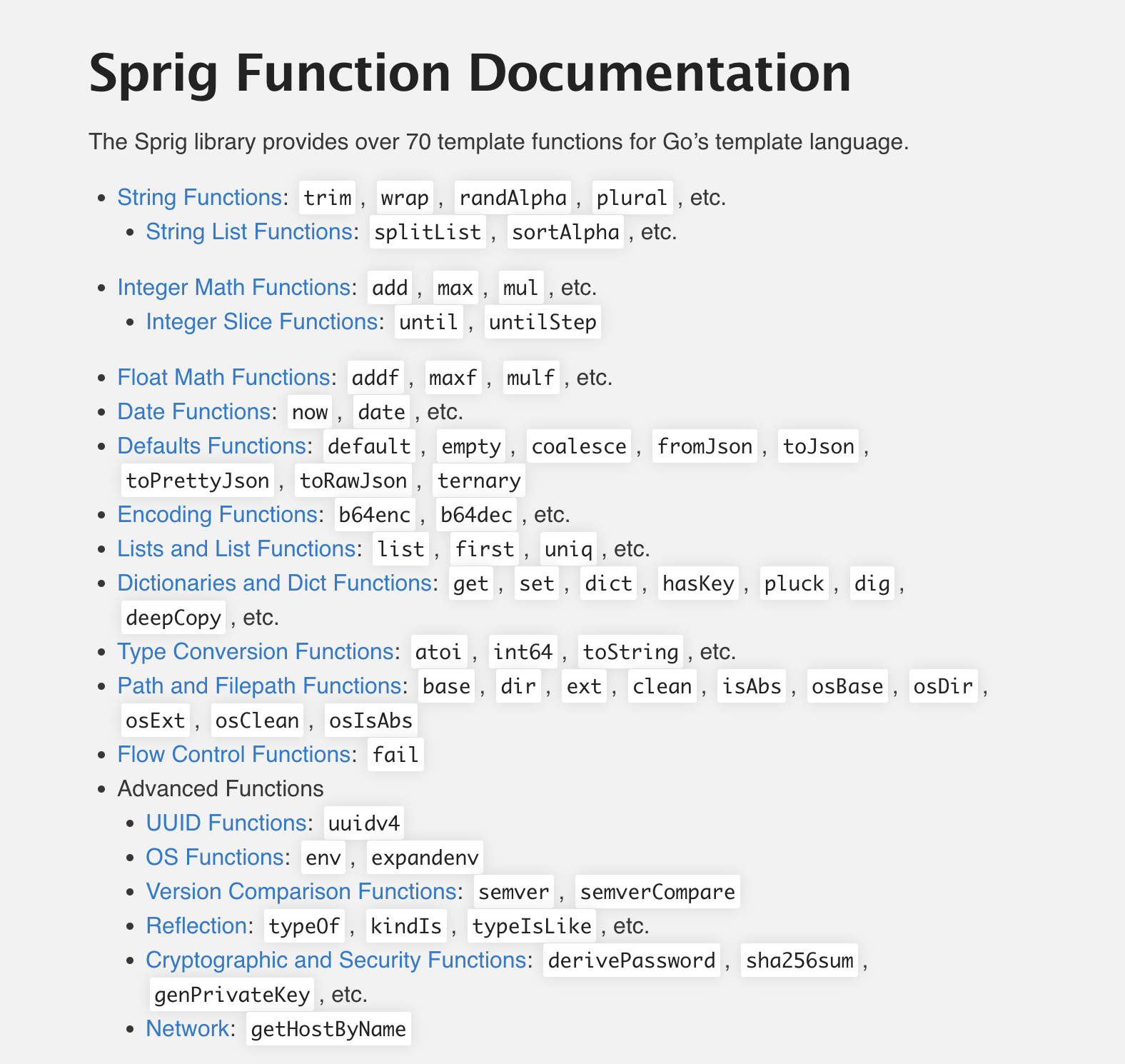
## **Go语言的模板引擎** Go语言内置了文本模板引擎text/template和用于HTML文档的html/templant. 它们的作用机制可以简单归纳如下: 1. 模板文件通常定义为.tmpl和.tpl为后缀(也可以使用其他后缀), 必须使用utf-8编码. 2. 模板文件中使用{{和}}包裹和标识需要传入的数据. 3. 传给模板这样的数据就可以通过点号(.)来访问,如果数据是复杂类型的数据, 可以通过{{.FieldName}}来访问它的字段. 4. 除{{和}}包裹的内容外, 其他内容均不做修改原样输出. --- ## 模板引擎的使用 Go语言模板引擎的使用可以分文三部分: 定义模板文件/解析模板文件/渲染模板文件 > 定义模板文件 其中, 定义模板文件时需要我们按照相关语法规则去编写, 后文会详细介绍. > 解析模板文件 上面定义好了模板文件之后,可以使用下面的常用方法去解析模板文件, 得到模板对象: 123func (t...

2019-11-30
8 闭包
Scala 闭包闭包是一个函数,返回值依赖于声明在函数外部的一个或多个变量。 闭包通常来讲可以简单的认为是可以访问一个函数里面局部变量的另外一个函数。 如下面这段匿名的函数: val multiplier = (i:Int) => i * 10函数体内有一个变量 i,它作为函数的一个参数。如下面的另一段代码: val multiplier = (i:Int) => i * factor在 multiplier 中有两个变量:i 和 factor。其中的一个 i 是函数的形式参数,在 multiplier 函数被调用时,i 被赋予一个新的值。然而,factor不是形式参数,而是自由变量,考虑下面代码: var factor = 3val multiplier = (i:Int) => i * factor这里我们引入一个自由变量 factor,这个变量定义在函数外面。 这样定义的函数变量 multiplier 成为一个”闭包”,因为它引用到函数外面定义的变量,定义这个函数的过程是将这个自由变量捕...



